Monday, December 23, 2019

10 Cybersecurity Tips for Online Shopping

Error: Please add at least one "Anchor" component

Calendar Icon
Last Updated: A day ago
We replaced Avast with Bitdefender as a top pick for antivirus software. In December 2019, two browsers (Mozilla and Opera) removed Avast extensions from their stores due to data privacy concerns. Avast collected user data such as browsing history and activity, reaching far beyond the tool’s performance needs. Its privacy policy defends storing user data since it’s anonymized, but the company offers no clear policy on length of data retention. We no longer stand by Avast’s services. Note that this also implicates Avast subsidiaries AVG Online Security and AVG SafePrice.
credit card in hand while typing on a laptop computer

Thankfully, the era of online shopping makes getting the perfect gift a whole lot easier. But before you embark on an online shopping spree, make sure you’re not leaving yourself at risk.

You may not have to worry about pickpockets in cyberspace, but there are still plenty of reasons to safeguard your personal and financial information. Here are 10 savvy online shopping tips to help you keep your information out of the hands of people who are most definitely on the naughty list.

1. Skip the Debit Card

When shopping online it’s best to stick to credit cards or payment services like Paypal. Because debit cards are linked to your bank account, you’re at much higher risk if someone is able to hack your information. Credit cards offer more protection and less liability if a card number gets stolen. This is one time when it pays to put it on plastic.

2. Shop Secure Sites Only

Before entering any personal or financial information, make sure you verify that the site you are on is legitimate and secure. The easiest way to tell is to look for “https” at the beginning of a site’s address. If you don’t see the “s” at the end of “http,” then the site is not encrypted and your data will not be secure. All legitimate shopping sites will have the “s” for your protection.

3. Update Your Software

bitdefender logo

Bitdefender Total Security

Updating your software is one of the easiest things you can do to protect your information, but many people put it off. Software updates are often released to help improve security and fight new attacks that are being developed constantly. It may seem inconvenient to have to wait for your computer to go through updates and restart, but the protective benefits are well worth it. Next time you see an alert to update your software, do it.

4. Outsmart Email Scams

The holidays are a great time for email scammers to send out viruses and malware in the guise of a gift or special offer. Don’t open emails from someone you don’t know or a site you haven’t visited. Another way the bad guys try to get you is with phony messages from your bank or other financial institution saying there is an alert or problem with your account. Always call the bank directly to verify any potential problems and never enter your account information in response to an email like this.

5. Just Say No to Clicking Links

In addition to sneaky attacks in emails, beware of links to deals that are too good to be true on social networking sites. Look out for unbelievable offers and holiday gifts and bonuses. If you’re really tempted by an offer, do some research or find out if anyone else has tried to take advantage of the deal before clicking.

6. Beef Up Your Passwords

Best Password Managers Buyers Guide
Dashlane Password Manager Logo

There’s a reason this piece of advice may sound like a broken record — it’s really important. Secure, unique passwords are your best gatekeepers when it comes to keeping your private information private. If you use the same password for multiple sites, take the time to change them up. If you want to be virtually hack-proof, use a password generator and manager to help you devise and keep track of the types of long, complicated passwords that are not worth a hacker’s time to crack.

7. Never Give More Info Than Needed

Most websites you visit or shop on will ask you for information to complete your purchase or start a wish list. Give them only the information they require you to provide. If a complete address or phone number is optional, then skip those fields. The more info you put out there, the more accessible you are to a bad guy. And before committing your information to a site, take the time to read their privacy policy and find out exactly where and how your information will be shared.

8. Don’t Go Public

Free hotspots are like manna from heaven when you’re out and about, but hackers like them even more than you do. Because public networks aren’t secured, any information you enter on a public network is ripe for the picking. Don’t log in to banking sites or payment sites like Paypal on a public network — and make sure that you are logged out of such sites on mobile devices before connecting to a public network.

9. Be Smart about Shopping Apps

Apps make everything more convenient, including stealing your private information. Only download shopping apps from a reliable source like the Apple App Store or Android Market. Pay attention to the permissions that the app asks for. If you see something that doesn’t make sense, like access to your contacts, make sure you don’t allow the app access to it. Checking out the comments and reviews of an app before downloading is another way to identify suspicious activity.

10. Put It on Lockdown

One of the perks of online shopping is that you can do it from anywhere and use any device. Make sure every device that you shop from has security software in place. Always use a passcode to access your tablet or smartphone, and log off your computer or lock the screen when you walk away from it. After accessing a shopping or banking site, be sure to completely log out of the site before exiting, and don’t let your computer or device remember your usernames, passwords, or credit card information.

A stolen identity is even worse than a lump of coal in your stocking. Make sure you have only nice surprises this holiday season by sticking to these smart online shopping tips to keep you and your information protected.

The post 10 Cybersecurity Tips for Online Shopping appeared first on SafeWise.


Aricle source here: 10 Cybersecurity Tips for Online Shopping

AVG Internet Security Review

Error: Please add at least one "Anchor" component

AVG logo

AVG Internet Security

3.5/5
  • Antivirus, malware, and spyware protection
  • Internet and email protection
  • Coverage for all your PCs
  • Enhanced firewall
  • Android protection included
Calendar Icon
Last Updated: A day ago
In December 2019, two browsers (Mozilla and Opera) removed Avast extensions from their stores due to data privacy concerns. Avast collected user data such as browsing history and activity, reaching far beyond the tool’s performance needs. Its privacy policy defends storing user data since it’s anonymized, but the company offers no clear policy on length of data retention. We no longer stand by Avast’s services. Note that this also implicates Avast subsidiaries AVG Online Security and AVG SafePrice.

AVG Internet Security at a Glance

Owned by the same company that created Avast Antivirus, AVG is one of many internet security options out there. Along with adequate antivirus and malware protection, users get email scans, webcam blocking, and fake website detection.

For most mobile users, antivirus is already embedded into the operating system on your smartphone or tablet, so it’s unlikely that you’d need a separate antivirus program. But for PC users, malware, phishing, worms, and other viruses can cause real issues—so an antivirus product like AVG is useful.

Best for complete PC protection
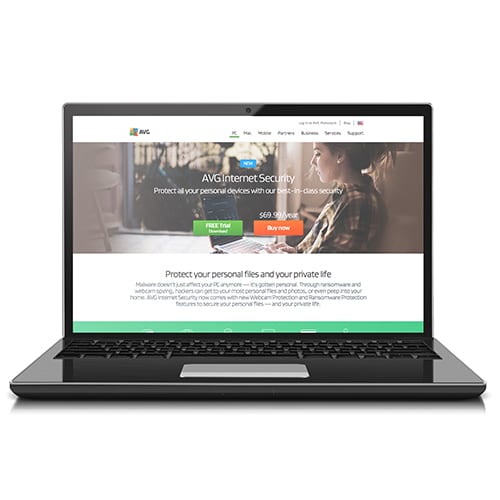
laptop screen showing AVG Internet Security homepage

AVG Internet Security

3.5/5
  • Antivirus, malware, and spyware protection
  • Internet and email protection
  • Coverage for all your PCs
  • Enhanced firewall
  • Android protection included

AVG offers a basic antivirus program—AVG AntiVirus FREE—and its Internet Security program is the next step up. At $70 per year, it does pack some sticker shock, but it will cover every Windows and Android device in your household, and it comes with a bunch of features that the free version doesn’t include, like an enhanced firewall and webcam protection.

In our tests, AVG Internet Security was easy to navigate on mobile devices and on a Windows PC—once you got used to the system. It also didn’t seem to slow down our devices at all, which can be a problem with some antivirus software. On our Windows PC (which is a few years old), we did have to uninstall Microsoft Security Essentials to get AVG to work.

Pricing and Plans

AVG AntiVirus

FREE

AVG Internet Security

Check Price

Antivirus/Malware Protection Y Y
Email Protection/Spam Filter Y Y
PC Performance Problem Detection Y Y
Real-Time Security Updates Y Y
Personal File Security N Y
Webcam Protection N Y
Fake Website Detection N Y
Enhanced Firewall N Y

Pros

  • Price Point
    If you need AVG Internet Security for only one PC, $70 per year could seem steep. But if you have a household full of devices, they’ll all be covered under one license, making the price a pretty good deal.
  • Free Trial
    You can test out AVG Internet Security free for 30 days before making any commitment.

Cons

  • Constant Upsells
    When using the free trial on your mobile device, you’ll see a lot of ads for other AVG products. And on your PC, the main AVG menu will constantly show an upgrade option.
  • Extra Costs for Live Customer Support
    If you need help beyond the support articles on AVG’s website, you’ll have to pay for a Premium Support subscription.

Features and Usability

This product is fairly easy to install—but using it isn’t as easy, especially when you get into the more complex setup required for small businesses or multiple devices.

Pros

  • Easy Installation
    The prompts for installing the program made the entire setup take only a matter of minutes.
  • File Security
    We love that AVG’s Internet Security suite gives you options to secure your personal photos and other documents.
  • Many Layers of Protection
    This program offers a comprehensive security plan and protects you from all kinds of malware, like ransomware, viruses, spyware, and Trojans. And it will protect you while you’re surfing the web, opening email attachments, banking, and shopping.
  • PC Optimization
    AVG will not only scan your computer for problems but will also clean up your hard drive so your computer will work faster.

Cons

  • Counterintuitive Menus
    AVG antivirus software is organized differently than a lot of competitors, so it can take some getting used to if you’ve been using a different program.

FAQs

I already have Windows Defender/Microsoft Security Essentials. Do I really need another antivirus?

You can’t have multiple antivirus or security suites running on your PC at the same time. What level of antivirus protection you need depends on how often you use your PC and what you use it to do. For average users, the built-in security systems should work fine. But if you do a lot of online shopping, have a webcam, or do anything that requires a lot of file downloads, you may require a stronger security suite.

Will AVG Internet Security work with my smartphone?

Yes, this plan works with Androids. iPhones already have antivirus software built in and don’t require any extra help.

Is AVG compatible with iOS?

AVG Internet Security is compatible only with PCs and Android, though there other AVG products for Macs, and Apple users report success with the security suite.

What customer support options does AVG offer?

The AVG website has a lot of links for information and a built-in community to offer support. But unless you pay for a Premium Support account, you can’t call or chat with a customer support rep.

Can I install AVG on my Chromebook?

AVG is currently not compatible with Chrome. Chrome has a solid, highly effective antivirus program already built in.

The Bottom Line

If you’re concerned about threats to your personal files or you’re worried about hackers using your webcam to spy on you, AVG Internet Security offers a full security suite to protect you. One license is good for all your devices, so every PC and Android in your household is covered. Live customer support isn’t included, so if you need a more hands-on service, you may have to spring for a Premium Support package.

Pros

  • Reasonable price for multiple devices
  • Comprehensive security services
  • Solid antivirus and ransomware protection
  • Easy installation

Cons

  • Counterintuitive user interface
  • Few customer service/tech support options

How We Evaluated AVG Internet Security

We evaluated this product by testing it on a Windows PC and Android mobile devices. We also scoured online forums and looked at technical reviews. For more information, see our Methodology.

2019 Best Home Security Systems

Vivint

Best Home Automation

ADT

Best Monitoring

Frontpoint

Best Customer Service

Protect America

Budget Pick

Link Interactive

Best Basic Plans

The post AVG Internet Security Review appeared first on SafeWise.


Aricle source here: AVG Internet Security Review

Best Pet Cameras

Best Dog Camera
Furbo pet cameraFurbo Dog Camera
  • 1080p live video
  • Motion sensor
  • Bark sensor
  • 1080p live video
  • Motion sensor
  • Bark sensor
Best Value
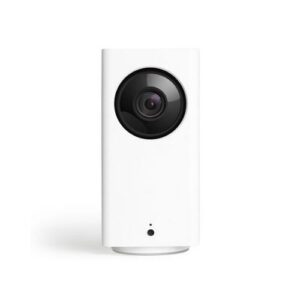
Wyze Cam PanWyze Cam Pan
  • Motion tracking
  • 360-degree coverage
  • Motion tracking
  • 360-degree coverage
Best Cat Camera
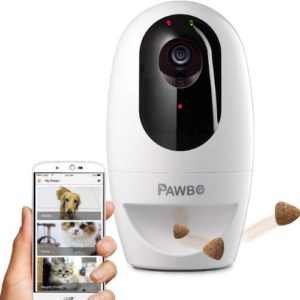
Pawbo Pet CameraPawbo Pet Camera
  • Interactive laser pointer
  • Treat dispenser
  • Interactive laser pointer
  • Treat dispenser

The Bottom Line: Furbo is Top Dog

The Furbo Dog Camera has key features (like a pet launcher and night vision) that get our tails wagging. It’s the only pet camera we encountered with sound detection that senses barking. If your pup has a bad barking habit, the Furbo will alert you so you can check in, talk to them, and even give them a yummy treat.

Another perk: this camera livestreams in sharp 1080p, night or day. And while it’s on the pricey side, it’s not the most expensive camera on our list.

How Pet Cameras Compare

List Price*
Pet Camera
Two-way Audio
Night Vision
Motion Detection
Video Quality
Treat Dispenser
Best for Dogs Best Value Best for Cats Budget Pick Best App Luxury Pick
Furbo pet camera Wyze Cam Pan Pawbo Pet Camera product image of Petzi pet camera Petcube Play Pet Camera
$149.00 $34.99 $129.00 $114.56
$179.00 $299.99
Furbo Dog Camera Wyze Cam Pan Pawbo Pet Camera Petzi Treat Cam Petcube Play 2 PetChatz
Yes Yes Yes No Yes Yes
Yes Yes No Yes Yes No
Yes Yes No No Yes Yes
1080p 1080p 720p 720p 1080p 720p
Yes No Yes Yes No Yes
View on Amazon View on Amazon View on Amazon View on Amazon View on Amazon View on Amazon

Amazon.com prices as of 12/18/19 03:54 pm MST.

Reviews: Best Pet Cameras

Best Dog Camera
Furbo pet camera

Furbo Dog Camera

#1. Furbo Dog Camera: Best for Dogs

The Furbo Dog Camera was designed specifically for dogs and their owners. It boasts two-way audio, night vision, and a treat dispenser.

Our favorite feature in this pet cam is the bark alert, which sends a notification to your smartphone when the Furbo detects barking. This feature is especially helpful for those with more vocal canines. You can customize the sound detection sensitivity to your dog’s bark.

Our only complaint is that Furbo requires a subscription to use its cloud storage service if you want to keep records of your dog’s activities.

You’ll get a 90-day free trial, but after that, you’ll have to pay $6.99 per month or $69 for the whole year. With a price tag at $200, this might be out of reach for many.

Pros

  • 1080p camera
  • Night vision
  • Treat dispenser
  • Bark sensor

Cons

  • High price tag
  • Subscription required for cloud storage
Best Value
Wyze Cam Pan

Wyze Cam Pan

#2. Wyze Cam Pan: Best Value

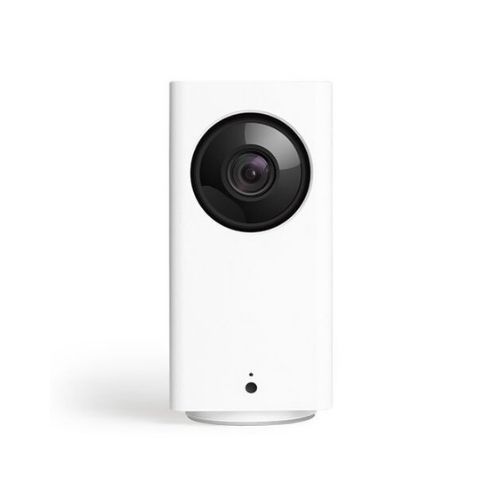
The Wyze Cam Pan security camera doesn’t have pet-focused features, but its key features (like two way audio and wide angle viewing) earned it a spot near the top of our list.

This Wyze model has camera features, including night vision, motion tracking, and two-way audio. It can swivel a full 360 degrees in under three seconds, and it has pan-and-tilt capabilities to give you an additional 93 degrees of vertical viewing.

Its motion detection feature that moves the camera as it tracks your dog or cat around the room.

The motion tracking is both noisy and a little delayed, and the sound quality for the two-way talk feature isn’t crystal clear. But the Wyze Pan Cam’s 1080p high-definition live video is clearer than many other pet cameras we saw.

Given the low price point, we’re impressed.

Pros

  • 360-degree view
  • Night vision
  • High-definition video
  • Two-way audio

Cons

  • Noisy movement
  • No treat dispenser
  • Delayed motion detection
Best Cat Camera
Pawbo Pet Camera

Pawbo Pet Camera

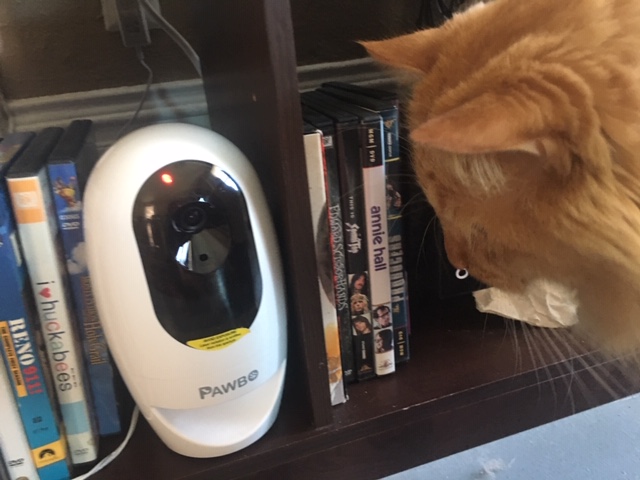
#3. Pawbo Pet Camera: Best for Cats

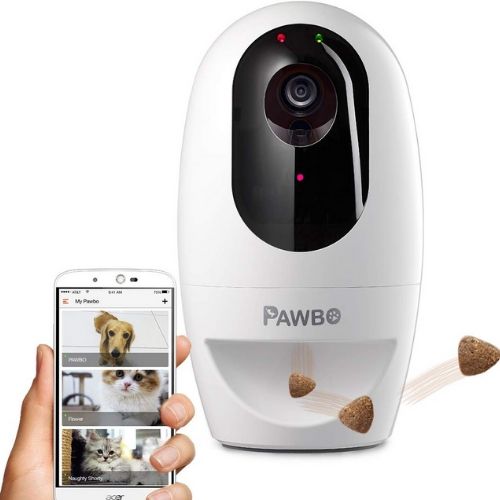
The Pawbo Pet Camera is a good all-around camera for any pet, but it has a few features that make it a great fit for felines. This cat camera comes with a built-in laser pointer and a treat dispenser your kitty will love. It also has ringtones that meow, squeak, or crinkle like a plastic bag to catch cats’ attention.

The Pawbo’s laser pointer lets you play with your cat while they’re home alone. The app has an automatic feature that points the laser in random directions to get your kitty’s attention. You can also move it manually through a virtual roller ball control.

The app also lets you share images and videos from your Pawbo cam on social media, and you can store additional recordings on your iOS and Android device.

Plus, the treat dispenser is a fun way to reward your kitty. It holds only a handful of treats, so you’ll have to make sure it stays full.

There are a few places where the Pawbo Pet Camera falls short. It has a wide 130-degree viewing angle and a 4x digital zoom, but at 720p, it doesn’t produce the high-definition video of its pet camera counterparts. It also lacks night vision, and motion tracking can lag. So while its live video quality isn’t the best, this camera will at least help you see if your kitty is snoozing or sneaking around.

Pros

  • Automatic laser pointer
  • Wide-viewing angle
  • Live video
  • Treat dispenser

Cons

  • No night vision
  • Average video quality
  • Spotty streaming
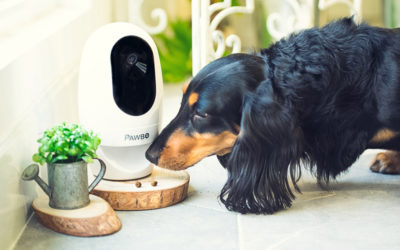
Cat looking at pet camera

More Pet Cams Worth a Look

Whether you want a pet cam to watch your puppy during his first week home alone or to keep an eye on your mischievous cats, there are tons of options out there. Here are a few other nominees you should check out.

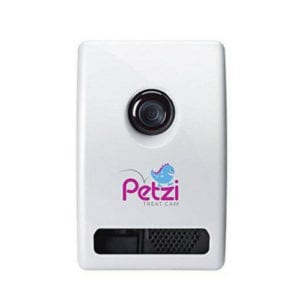
#4. Petzi Treat Cam: Budget Pick

The Petzi Treat Cam has some of the key features, like a treat dispenser, we want to see in a pet camera. You can feed your pets treats, talk to them using two-way audio, and watch them with the 100-degree viewing angle. Plus, the Petzi monitors treat levels and will automatically order refills from Amazon Dash.

The Petzi has bugs to work out, like treat jams and image delay and distortion, but it’s also a little less expensive than some of the more advanced pet cams listed here.

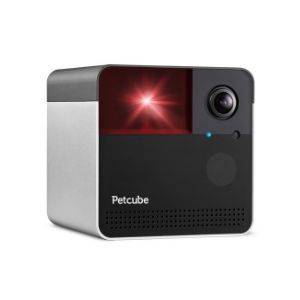
#5. Petcube Play 2: Best App

The Petcube Play 2 is the newest incarnation of this camera and it’s powerful enough to keep up with your pets. It still has the same built-in laser toy, two-way audio, and night vision. But new software updates boosted its field of view from 138 to 180 degrees, plus a 4x zoom. So you can count the whiskers on your best friend’s face from anywhere in the room.

We also like the Petcube app called Petcube Care. While adding another subscription service to your list might be a turn-off, the benefits are worth it. For under $10 per month, you get filters, 30-second video clips, three days of video history, smart alerts, and more. 

And while the Petcube Play 2 doesn’t have a treat dispenser, its sister pet cams do. The Bites and Bites 2 can both bring the goods to your pets.

#6. PetChatz Pet Camera: Luxury Pick

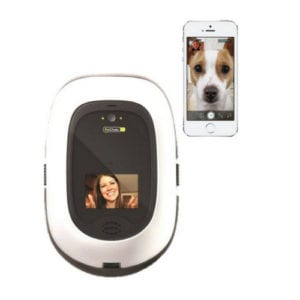
At almost $400, the PetChatz pet cam costs as much as a month of doggy daycare.1 But it’s full of fancy features: you can video chat with your pet, feed them treats, calm them with soothing scents, and entertain them with DOGTV. It even has a button they can press to call you!

Aside from the steep price, the only other drawback of the PetChatz is the camera’s narrow viewing angle. At just 65 degrees, it’s significantly smaller than the other cameras.

Things to Consider Before You Buy a Pet Cam 

Pick Pet-Friendly Features

Pet sitters and doggy daycare are good options when you need to leave your pet home alone. Pet cams require only one up-front payment unless you opt for cloud storage or subscription-based extras. When shopping for a dog or cat camera, think about how much time you spend away from home and what your biggest concerns are when it comes to your pet.

If you’re worried about your pet’s safety, you’ll want a pet monitor camera with a wider field of view and two-way audio. If your pet has anxiety, a camera with treats and games might help them relax.

Provide Pet-Friendly Toys and Entertainment

If you leave your pet at home for long periods of time, they’re going to need food, water, and plenty of entertainment. Some pet cams come with safe toys like laser pointers, but you’ll want to make sure their other toys are safe, too.

Create a Pet-Friendly Environment

While pet cams can help you keep an eye on your furry friends, they don’t guarantee complete safety. Cats and dogs may eat dangerous household items and plants. So before you leave them alone, be sure your home is poison-proofed and any hazards are out of the way.

There are plenty of reasons to get a pet cam, but a security system can also help keep your pets safe. If you get a system with professional monitoring, smoke and carbon monoxide detectors will alert a monitoring center that can send help right away.

Pet Cameras FAQs 

Why Do I Need a Dedicated Pet Cam?

A dedicated pet camera can be helpful to keep an eye on your pet’s health, moderate their behavior and engage with them while you’re away. Without video evidence, we might not notice that our pet is sleeping too much, going to the bathroom on the rug, or ignoring food. Catching your dog chewing on furniture could not only save your couch, but it could also alert you that your dog is hungry, anxious, or stressed. When you’re gone, your pet can get bored, lonely, and anxious.  Taking time out of your day to visit your pet, even virtually, can help keep both you and your pet content and happy.

What’s the difference between a dog camera and a cat camera?

It’s all in the features. While most pet cameras work for all kinds of pets, we recommend getting a camera with features that fit your pet’s needs and interests. Pet cameras with laser pointers work best for cats, while those with treat launchers and bark sensors are better for dogs.

Where should I put my pet camera?

Putting your pet camera at (or slightly above) your pet’s eye level will give you the best viewing angle.

If your camera comes with extra features, experiment with placement to find the right spot. Keep in mind that laser pointers usually work better when the device is closer to the ground, and bright lights from windows or lamps can interfere with the video quality.

How do I train my pet to come to the pet camera when I’m not home?

Positive reinforcement works best. Several of the cameras on this list have tones and calls you can use to condition your pet to come to the camera.

Start by showing the camera to your pet, and dispense a treat. This shows them where the camera is and that it’s safe. Then, use the ringtones or two-way audio to call them to the device, and dispense a treat.

Do this several times—then get a friend or family member to encourage your pet to respond to the camera while you’re out of the house or in another room. Like any learned behavior, it just takes practice (and lots of treats).

How We Picked the Best Pet Cameras

We checked out what popular pet sites were saying about different cameras and researched which key features matter most to pet parents. We dug deeper to learn about the top cameras and their pros and cons so we could bring you the best of the best. Read our full methodology to find out more about how we research and review products.

*Amazon.com list price as of 12/11/19 03:54 MST. Product prices and availability are accurate as of this date/time indicated and are subject to change. Any prices and availability information displayed on Amazon at the time of purchase will apply to the purchase of this product. Safewise.com utilizes paid Amazon links.

Certain content that appears on this site comes from Amazon. This content is provided “as is” and is subject to change or removal at any time.

The post Best Pet Cameras appeared first on SafeWise.


Aricle source here: Best Pet Cameras

Your Black Friday & Cyber Monday Shopping Guide to Smart Home Tech
Calendar Icon
Last Updated: A day ago
Looking for last minute gift ideas? Check out our Smart Home Gift Guide for gifts under $100. There are also few more holiday deals valid until the end of the year. Check 'em out.

Popular retailers like WalmartTarget, Best Buy, Kohl’s , Lowe’s and Home Depot have some of the best deals of the year during the holidays. 

To make your Black Friday and Cyber Monday about shopping (instead of researching), we’ve rounded up the best deals on some of our favorite smart home and home security devices, as well as other popular electronics. Take a look at our recommendations to finalize your holiday shopping list and make the most of all of the holiday deals this year.

Best Holiday Home Security Deals

Security Systems

Whether you want a system you can monitor yourself or a system that will connected to a call center and respond if your alarm is triggered, here are the best black friday deals on home security systems with no contracts, that you can install yourself.

Save 40% + Free camera
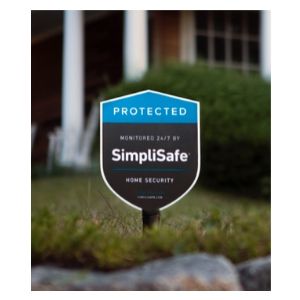
simplisafe sign

SimpliSafe Security System

  • Regular Prices from $229-$489
  • No contracts
  • Easy installation
Save up to $100
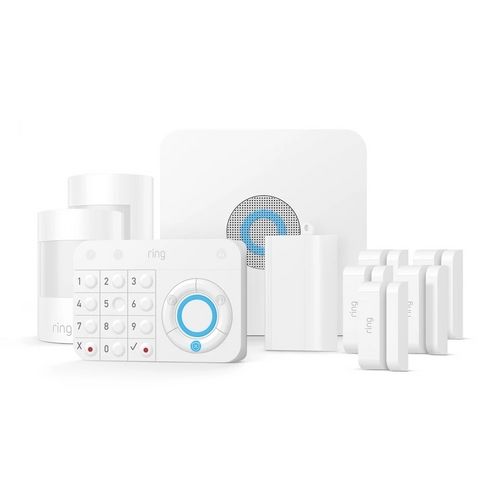
ring alarm

Ring Alarm Security Kit

  • Regular price $259
  • 10-piece kit
  • Ideal for 1-2 bedrooms
Save up to 50% off

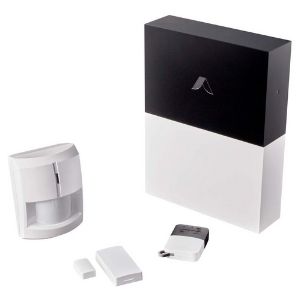
Abode Smart Security Kit

  • Regular Pirce $229
  • Compatible with Apple Home Kit
  • Compact; custom automations
Save 20% + Free Sensors
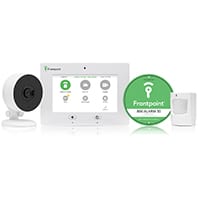
Frontpoint Security System Equipment

Frontpoint Home Security

  • Start with $0 down and month-to-month monitoring
  • Easy diy installation
  • 30-day money-back guarantee
Save 50% + Free Camera
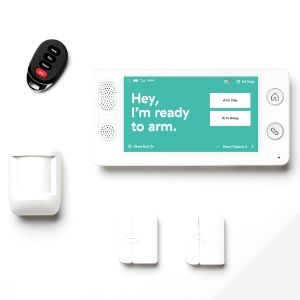
Cove Equipment DIY

Cove Home Security

  • Monitoring plans start as $14.99/mo.
  • 60-day money-back guarantee
  • Instant text messaging alerts

Data effective 12/05/2019. Offers and availability subject to change. See full disclaimer

Security Cameras

Wired or wireless, indoor or outdoor, Canary or Ring, here are all the best deals for home security cameras. Whether you want to check on your pet, keep an eye on your kids, make sure your property is safe from intruders, or something else, these are some of our favorite cameras with the best black friday deals.

Save $69
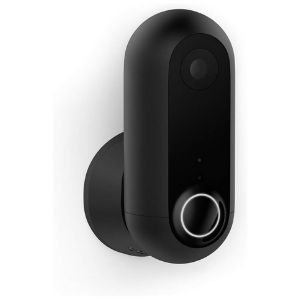
canary flex camera

Canary Flex Indoor/Outdoor Camera

  • Regular Price: $199.00
  • Wire-free or Plug In
  • Weatherproof & Alexa-enabled
Save $190
arlo two-camera system

Arlo Pro Wireless Security System with Siren

  • Regular Price $479.99
  • Indoor/outdoor 1080p cameras
Save $20
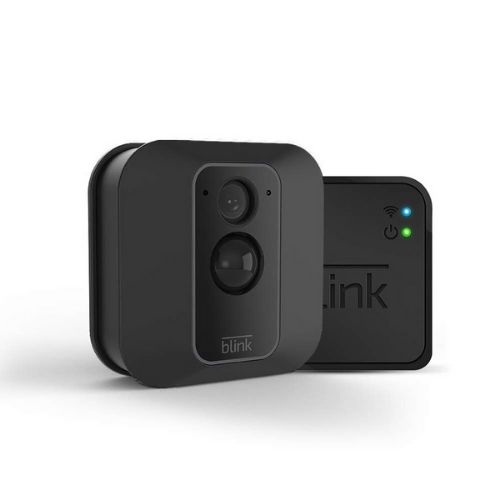
Blink XT2 security camera

Blink XT2 Outdoor/Indoor Security Camera

  • Regular price $89.99
  • Add-on camera for existing Blink customers
  • 2-way audio, & free cloud storage
Save $5
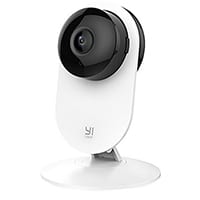
YI 1080p Indoor Security Camera

Yi 1080p Indoor Security Camera

  • Regular Price $30.99
  • 24/7 full HD recording
  • Yi home app and cloud storage

Data effective 12/05/2019. Offers and availability subject to change. See full disclaimer.

Smart Locks

Here are some of the best deals for smart locks from the brands we recommend.

Save $28.30
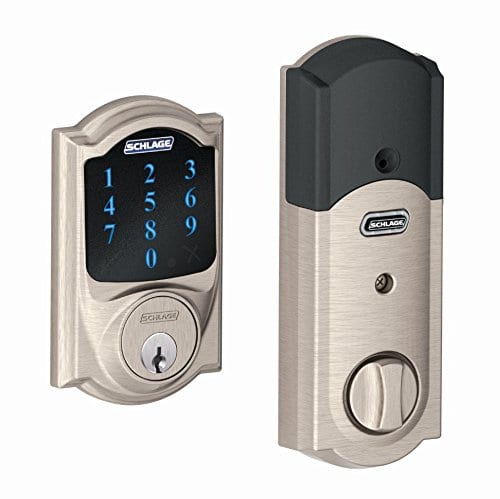
Schlage Touchscreen Deadbolt

Schlage Smart Deadbolt

  • Regular price $199
  • Hands-free voice control
  • Z-wave Plus enabled

Data effective 12/05/2019. Offers and availability subject to change. See full disclaimer.

Best Smart Home Holiday Sales

Video Doorbells

Video doorbell cameras are a smart holiday purchase—whether you want to put one under the tree as a gift or pop it on the porch to keep an eye on all your Cyber Monday packages.

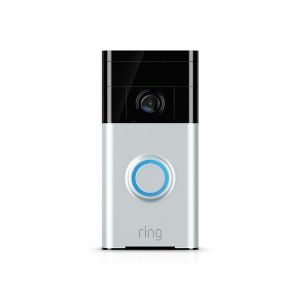
Find the right smart doorbell for the folks on your nice list, and save money with these delightful holiday deals. Read our new Ring Review to compare all the Ring Video doorbell models and if you need help installing one, read our new How-to Install a Ring Video Doorbell guide.

Save $50
Ring Peephole camera product image

Ring Peephole Camera

  • Regular price $199
  • 1080p HD video doorbell
  • Alexa-enabled; replaces peephole

Data effective 12/05/2019. Offers and availability subject to change. See full disclaimer.

Smart Speakers

Smart speakers are an easy foray into the smart home ecosystem and a go-to gift. Whether you want to treat yourself, or family members and friends, a smart speaker delivers convenience and entertainment in a gadget that’ll take up less space than a poinsettia plant. Whether you prefer Amazon’s Alexa, Google Assistant, or Apple’s Siri, we’ve got the deals you need to pop a speaker in every stocking.

Save $25
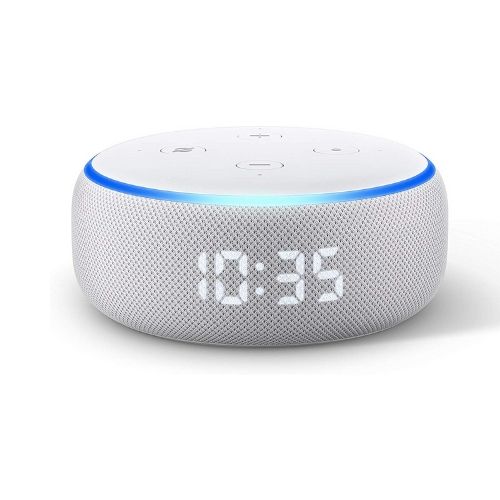
Echo Dot 3rd generation Sandstone Color

Echo Dot (3rd generation)

  • Regular price $49.99
  • Alexa (3nd gen)
Save$60
google-home

Google Home

  • Regular price $129
  • Google assistant
  • Smart Home hub
Save $26
google home mini and smart light bulb

Google Smart Light Starter Kit

  • Regular price $55
  • Google home mini
  • Smart light bulb
Save $29.99
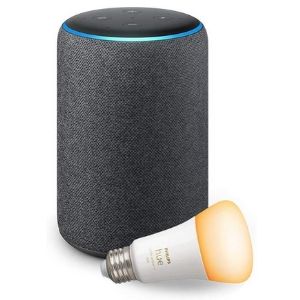
amazon echo 2nd generation with philips hue lighbulb

Alexa Smart Home Starter Kit

  • Regular price $179.98
  • Free Smart Lightbulb

Data effective 12/05/2019. Offers and availability subject to change. See full disclaimer.

Smart Watches and Wearable Devices

Whether you’re after a Fitbit or an Apple Watch, now’s the time to buy a gift that’s geared up to help you conquer your New Year’s resolutions.

We’ve rounded up deals on fitness trackers, the best smart watches and GPS trackers for your kiddos, and pet trackers that help you keep tabs on Fido.

Best Amazon Holiday Sales

Amazon wants to rule your Black Friday shopping frenzy—and with deals like these, it could do it. We found deep cuts on everything from the Amazon Echo Dot to Ring doorbells and the Ring Spotlight camera. Check out their Black Friday page for more deals.

Save $33
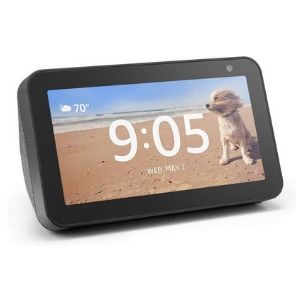
echo show 5

Amazon Echo Show 5

  • Regular price $89.99
  • Compact smart display
  • Alexa enabled
Save $30
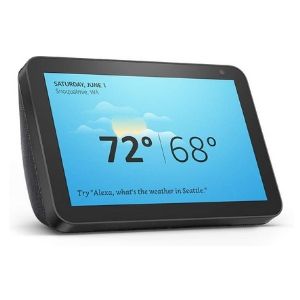
echo show 8

Echo Show 8

  • Regular price $129
  • 8" HD screen and stereo sound
  • Video calling and messaging
Save $29.99
amazon echo 2nd generation with philips hue lighbulb

Alexa Smart Home Starter Kit

  • Regular price $179.98
  • Free Smart Lightbulb
Save $25
Echo Dot 3rd generation Sandstone Color

Echo Dot (3rd generation)

  • Regular price $49.99
  • Alexa (3nd gen)

Data effective 12/05/2019. Offers and availability subject to change. See full disclaimer.

Best Apple Holiday Sales

We used to complain about fruit in our stockings, but with heavy discounts from this tech leader, we hope to find an Apple this year. Whether you’ve got your heart set on an Apple HomePod, new AirPods, or an Apple Watch, these deals will make your gift giving sweeter.

Save $15
apple airpods with charging case

Apple Airpods with Charging Case

  • Regular price $159.99
  • Siri-enabled
  • Wireless
Save $30
apple ipad 10.2inch

Apple iPad 10.2 inch

  • Regular price $329
  • Wi-Fi, 32 gb
  • 1.2MP FaceTime HD front camera
Save $46.51
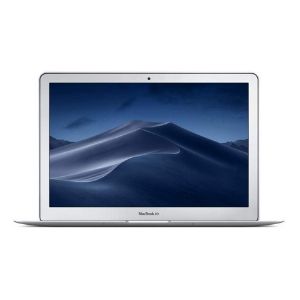
apple macbook air 13 inch

Apple MacBook Air 13-in

  • Regular Price $999
  • 8BG Ram, 128GH SSD Storage
  • Two USB 3 ports

Best Google Holiday Sales

Google is doing its darndest to get a Google Home or Google Nest Thermostat in every stocking. Check out the incredible deals on offer to help you score these smart home devices and high-tech safety gadgets.

Save $80
google-home

Google Home

  • Regular price $129
  • Google assistant
  • Smart Home hub
Save $70
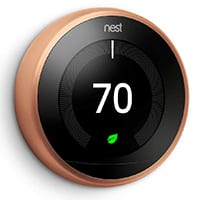
copper nest thermostat with digital display of 70 deg. and green light

Google Nest Smart Thermostat

  • Regular Price $249
  • Learns to program itself
  • Control the temp. from smartphone
Save $90
Chromebook 14-in Laptop

Hp Chromebook 14-in Laptop

  • Regular price $279.99
  • 180-Degree Hinge
  • Full HD Screen

Data effective 12/05/2019. Offers and availability subject to change. See full disclaimer.

Black Friday and Cyber Monday FAQs

When is Black Friday?

Black Friday takes place every year on the day after Thanksgiving and marks the unofficial start of the holiday shopping season. This year it falls on November 29. But many stores begin sales (both online and in-store) in the days and weeks leading up to the famous shopping day. Some will even be open for in-store deals on Thanksgiving day. 

How does Black Friday work?

Not long ago, shopping on Black Friday involved waiting (and risking injury) amongst crowds of people for retailers’ doors to open before the sun rose. Today, it’s not uncommon for stores to open at midnight on Friday or in the afternoon or evening hours of Thanksgiving. 

If you’d rather not skip Thanksgiving dinner to score a steep discount, there’s no need to give up your turkey. Several pre-Black Friday deals make their debut throughout the month of November—and most of the best discounts and promotions will be offered in stores and online in the week leading up to Black Friday. 

How do you shop on Black Friday?

To maximize your Black Friday shopping experience you need to create a plan and a budget—and stick to it. Make a shopping list and check it twice to avoid splurging on extras that will burst your budget.

Once you have a finalized list, start scouting for sales on the products you want and compare prices among retailers. Checking sites like SafeWise can help you stay in the loop as stores release more information about Black Friday promotions.  

Some retailers require shoppers to come into the store for the best Black Friday deals, but you can also score great deals online. 

What stores have the best deals on Black Friday?

The sheer volume of promotions, discounts, product bundles, and freebies that stores advertise in the lead up to Black Friday can make it difficult to determine which offers are actually worth your time. We carefully evaluate offers on popular products to help you separate the meat from the giblets. 

What is a doorbuster?

A doorbuster is a special deal or discounted price that’s offered for a limited time on a popular item, typically during the first part of a retailer’s Black Friday hours. Many stores advertise doorbuster deals to lure in shoppers who are looking to score an exclusive discount on a higher-priced item such as a television, tablet, or smart home device. 

Many doorbuster items are available in severely limited quantities or made by brands that produce lower-quality items. Before you decide to stand in line for a doorbuster deal, do some preliminary research to make sure the deal is worth it. 

How do I know if I’m getting a good deal?

The best way to know if you’re getting a good deal is to be an educated consumer. That means you know what you want, which brands you prefer, and what the standard retail price is for each item. Armed with that info, you can compare the advertised discounts to find the deal that gives you the most savings. 

Why do they call it Black Friday?

Black Friday hasn’t always referred to killer sales—the term’s origin is far more sinister. 

The first Black Friday had nothing to do with shopping—and it wasn’t related to the holidays. On September 24, 1869, two shady Wall Street investors drove up the price of gold and caused a drastic stock market crash. Commodity prices plunged 50%, leading people to deem the day Black Friday.1

Today, most people think it refers to the profits stores make on this record-breaking consumer holiday. When companies are profitable, they’re “in the black.” This use of the term became popular in the ‘80s, and it’s stuck ever since.

Is Cyber Monday only online?

Technically, yes. Cyber Monday was created as an alternative (or a supplement) to Black Friday. Stores offer online-only deals to help drive website sales. With the huge growth of online shopping, Cyber Monday is giving Black Friday a run for its money. (Or is it our money?) 

Are AirPods on sale for Black Friday?

Yes. Several retailers are already advertising deals on AirPods. You can buy them on amazon.

Sources

  1. History.com, “What’s the Real History of Black Friday?

Amazon.com list price as of 12/05/2019 16:02 MST. Product prices and availability are accurate as of the date/time indicated and are subject to change. Any price and availability information displayed on Amazon at the time of purchase will apply to the purchase of this product. SafeWise.com utilizes paid Amazon links.

Certain content that appears on this site comes from Amazon. This content is provided “as is” and is subject to change or removal at any time.

The post Your Black Friday & Cyber Monday Shopping Guide to Smart Home Tech appeared first on SafeWise.



Aricle source here: Your Black Friday & Cyber Monday Shopping Guide to Smart Home Tech

ADT Disclaimer

ADT $27.99 Essential package: $99.00 Customer Installation Charge. 36-Month Monitoring Agreement required at $27.99 per month ($1,007.64...